KEEP A LITTLE MORSE CLOSE BY

Morse Code Resources

Printable charts for learning letters, numbers, and the rhythm of Morse code.
Save a sheet, then use the matching tool to hear or translate a message.

Choose PNG to save or share an image, or SVG for a chart that stays sharp when enlarged. To print, open the SVG and choose Print in your browser, with the page set to fit.

Morse code alphabet chart

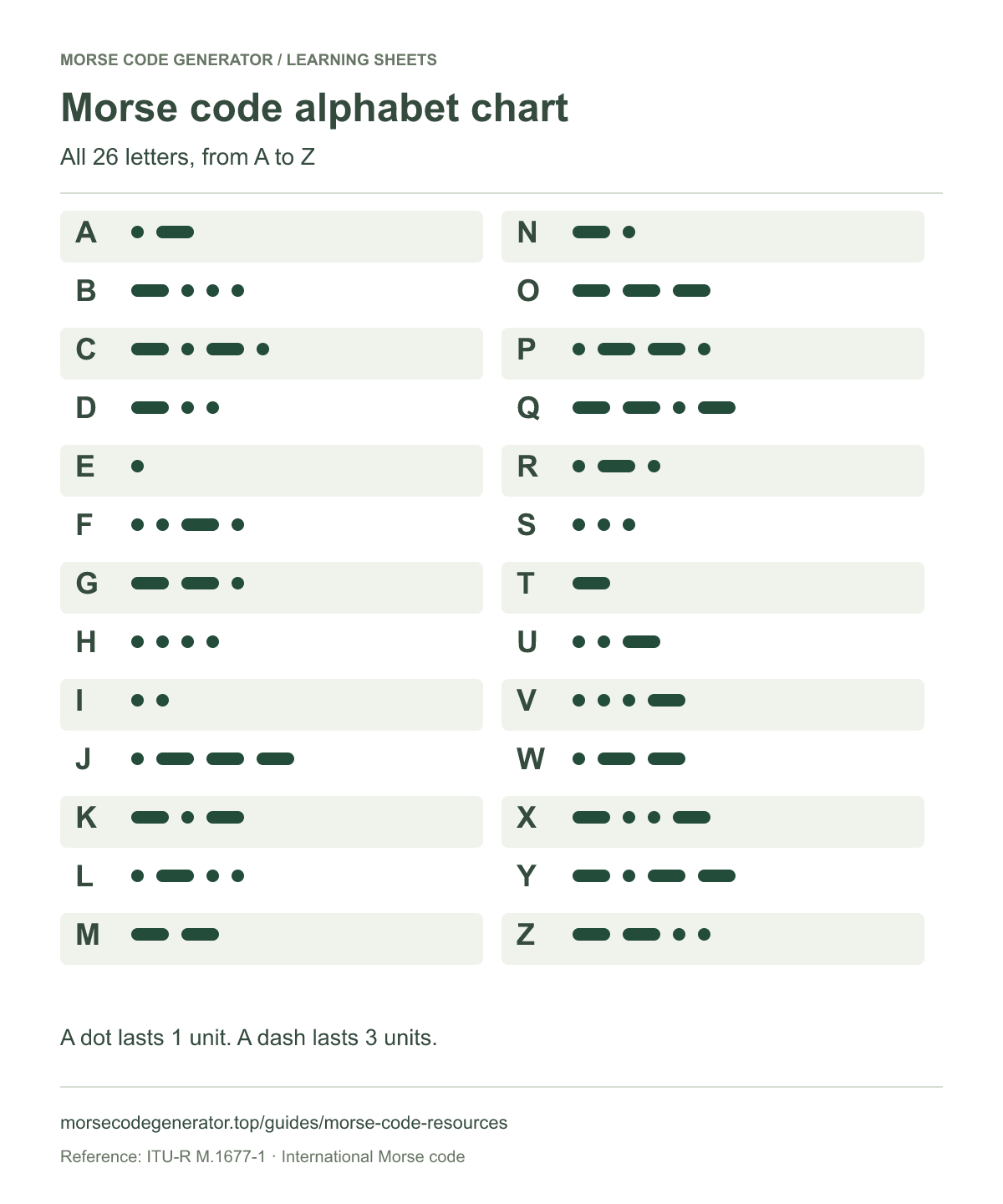
Keep the A–Z chart beside you while learning a name or a short message. Each row pairs a letter with its Morse pattern.

Turn your words into Morse code →

Look up letters and punctuation

Morse code alphabet chart showing the dot and dash patterns for all 26 letters, A to Z.
All 26 letters, from A to Z. Select the image to view it at full size.

Morse code numbers chart

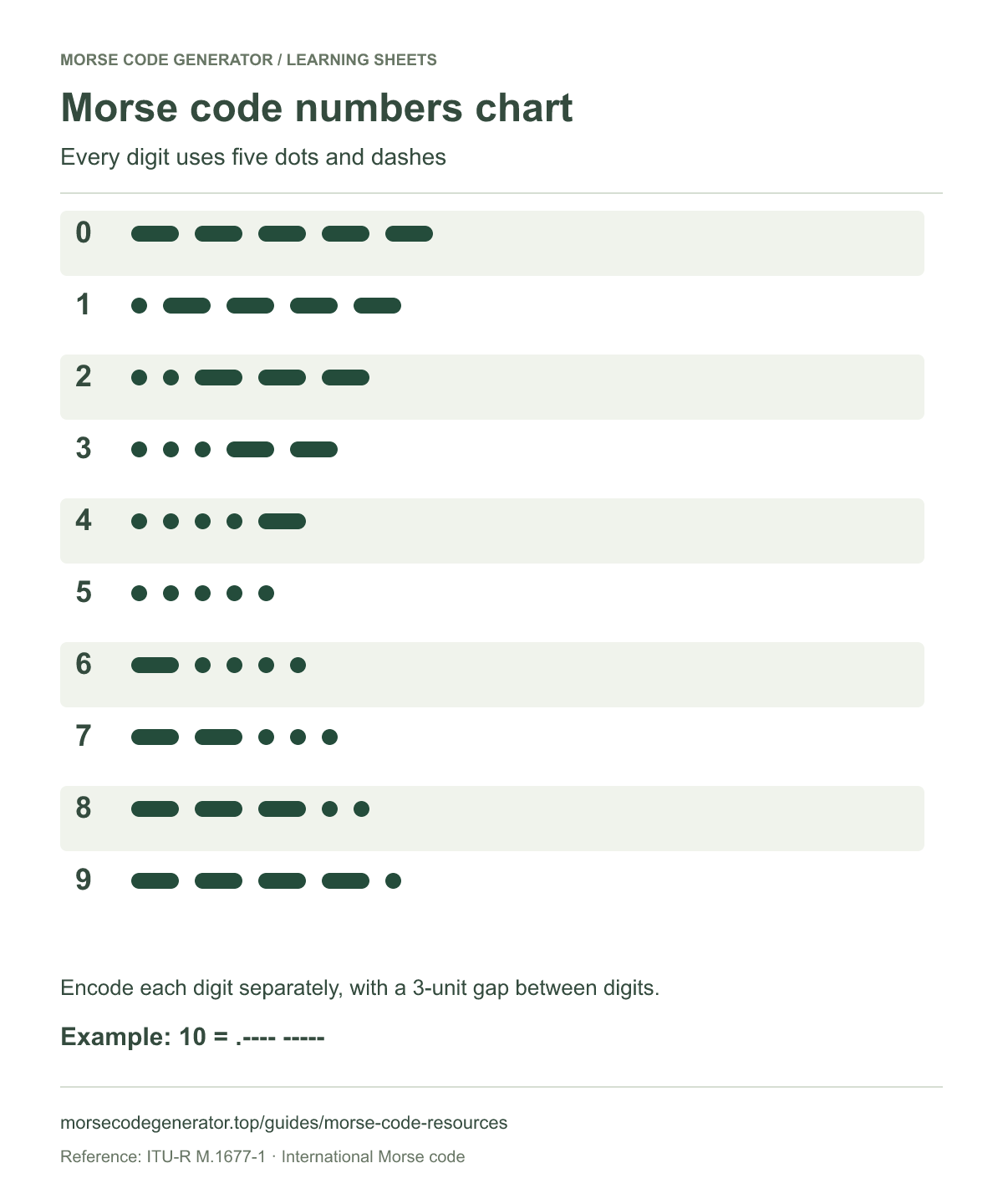
Encode each digit separately: 10 is .---- -----, with a letter-length gap between the two patterns. Use this sheet for dates, numbers, and puzzles.

Convert a number to Morse code →

Translate dots and dashes back to text

Morse code numbers chart showing the five-mark patterns for digits 0 through 9.
Every digit uses five dots and dashes. Select the image to view it at full size.

Morse code timing chart

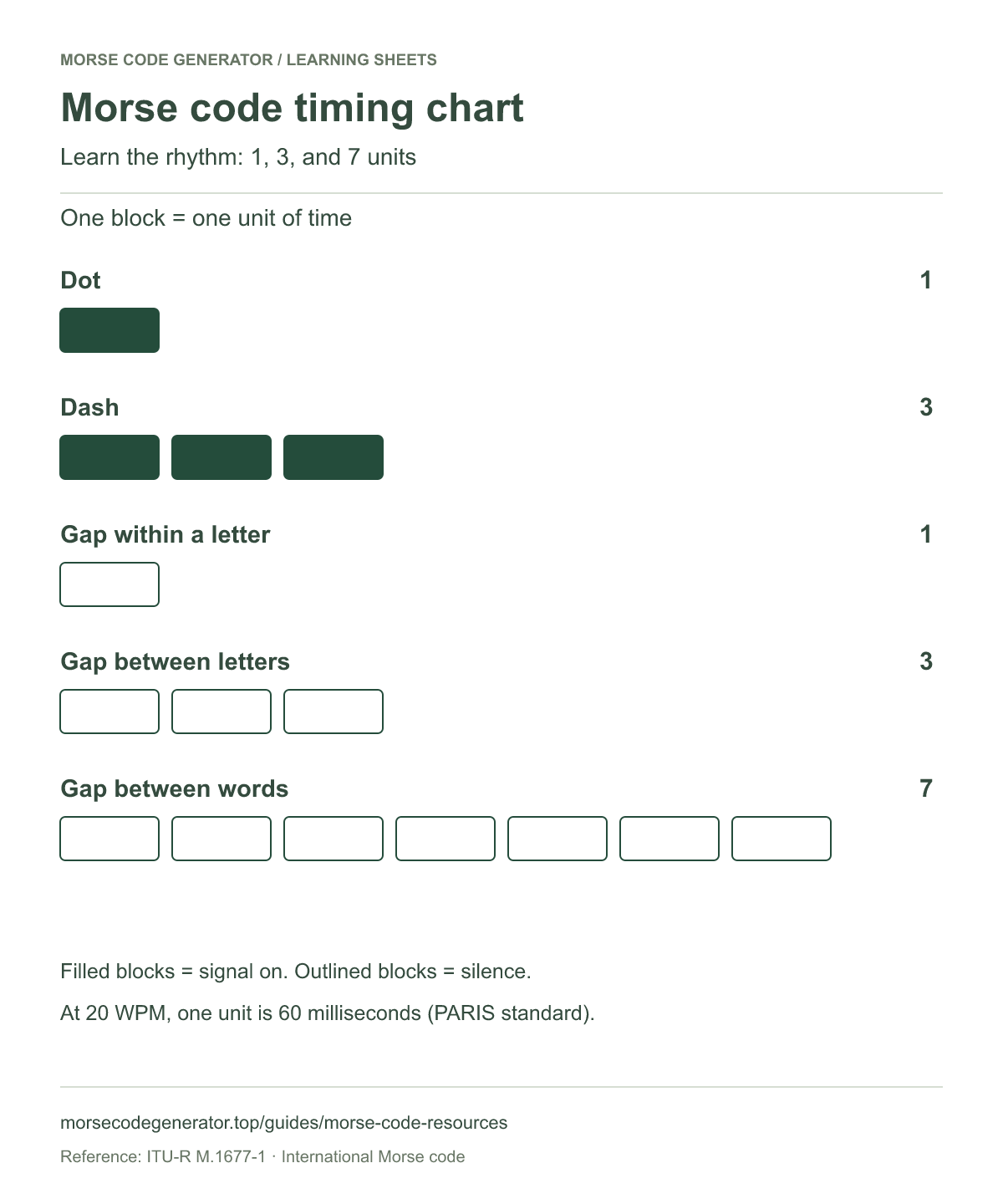
The pauses are part of the message. Compare signal lengths and gaps, then listen to your own message at a comfortable speed.

Generate a message and hear the timing →

Learn how Morse timing works

Morse timing chart: dot 1 unit, dash 3 units, gap within a letter 1 unit, between letters 3 units, and between words 7 units.
Learn the rhythm: 1, 3, and 7 units. Select the image to view it at full size.

SOS Morse code signal chart

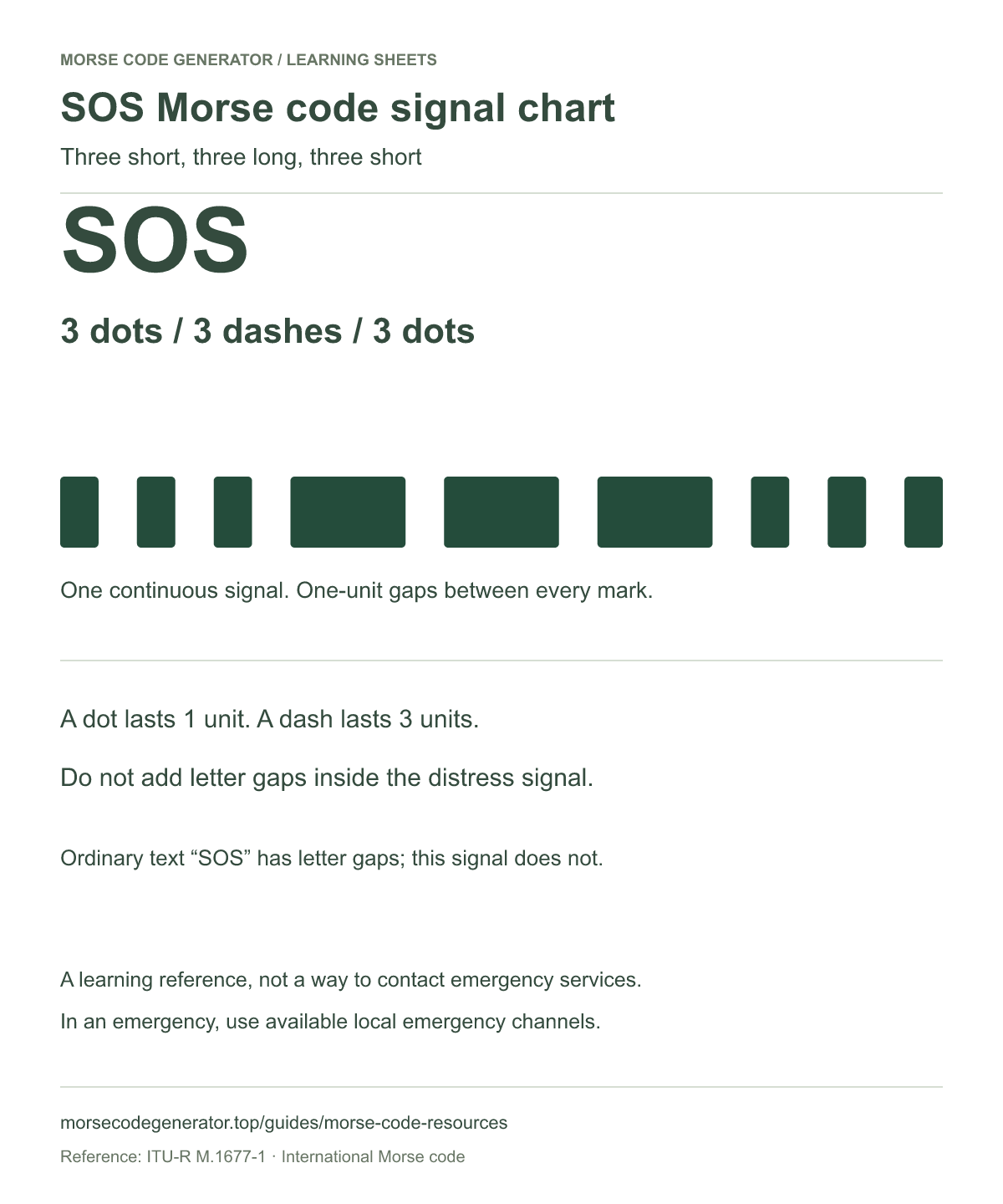
The SOS distress signal runs continuously, without letter gaps between S, O, and S. Typing SOS as ordinary text in the generator uses letter gaps; hear the continuous signal on the SOS page.

Play the continuous SOS signal →

Read about SOS and its limits

SOS Morse distress signal: three dots, three dashes, and three dots, sent continuously with one-unit gaps between all nine marks.
Three short, three long, three short. Select the image to view it at full size.

Make an image of your own message

Need a name, a greeting, or a puzzle clue instead of a reference chart? Enter your words in the Morse code generator, then choose PNG or SVG to save your result. To read a written pattern, use the Morse code translator.

Prepare your image for another project

Want the charts together in one printable document? Download the PNG sheets, then combine the chart images into a PDF with AdaPDF. Its JPG to PDF tool also accepts PNG images, so you can arrange the sheets in your preferred order without converting them to JPG first.

Making a card with a Morse message and a photo? Use RemoveBG Studio to remove the photo background, then combine the cutout with your Morse message in an image editor. Keep the white background on reference charts so the dots and dashes remain easy to read.

If your next project needs a PNG image, you can visit PNG Converter to explore image conversion options. The learning sheets above already include a PNG download.

For a website icon, start with a simple Morse design, such as one letter, and use ICO Converter to prepare an ICO file. A full alphabet chart will be difficult to read at icon size, so keep the design simple and check it at its final size.

Use the sheets alongside listening practice

Pick a few letters, listen to their patterns, and check this chart after you try to recognize each sound. These sheets cover International Morse letters and digits. For supported punctuation, use the punctuation reference.

Reference: ITU-R M.1677-1: International Morse code.